GUIDE ANDROID → MACOS
Android to Mac file transfer without a cable, an account, or an upload
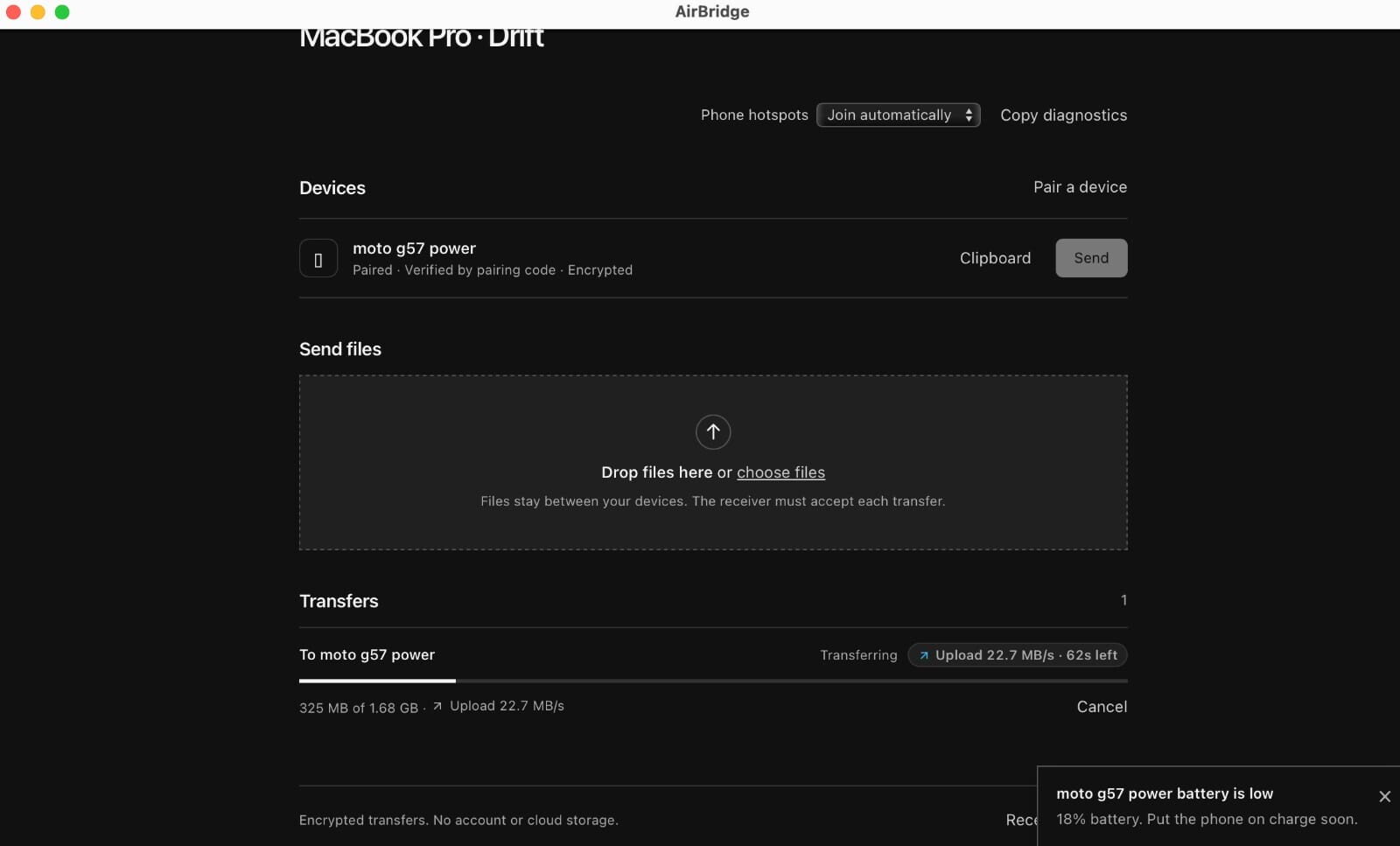
AirDrop stops at Apple’s own devices, so Android phones are left out. AirBridge is a source-available bridge for the other direction: install the macOS companion, pair your phone with a QR code, and files travel directly between the two devices on your network, end-to-end encrypted.
Why Android to Mac file transfer is still awkward
- AirDrop and Universal Clipboard are Apple-only. They rely on proprietary protocols and Apple IDs, so an Android phone cannot join even when it is sitting next to the Mac.
- USB copy is a cable, an app and a protocol. Android File Transfer and MTP mounts work until they don’t: large videos stall, the phone unmounts, and macOS updates break the helper app.
- Cloud drives mean two uploads. The file leaves your devices, costs quota, needs an account on both sides, and is usually no faster than your Wi-Fi link.
- Chat apps compress media and cap attachment sizes, which defeats the point when you are moving a 2 GB video.
- Bluetooth is far too slow for anything beyond a contact card or a small photo.
AirBridge solves the specific case of “my file is on my phone and I need it on my Mac, now, without sending it through somebody’s data centre.”
How AirBridge moves a file from Android to macOS
AirBridge runs a native menu-bar app on the Mac and a native Android app on the phone. The desktop service owns the encrypted session; the window you see on the Mac is a view over it.
- Pair once. Open AirBridge on the Mac, scan the QR code from the Android app (or type the six-character pairing code). The code is never transmitted — not even as a hash — because pairing uses SPAKE2 (RFC 9382).
- Choose the files. Either use Share → AirBridge from any Android app, or pick files inside AirBridge. Up to 100 files go into a single transfer session.
- Accept on the Mac. The receiving side sees the manifest and accepts (a trusted device can auto-accept). Nothing is decrypted or written before you accept.
- Stream straight to disk. A binary windowed pipeline with TCP backpressure writes into a private
.partjournal, so a multi-gigabyte video never has to fit in RAM. Chunks default to 1 MiB (16 KiB–1 MiB supported). - Verify, then save. The incremental and final SHA-256 digests must match before the file is renamed into
~/Downloads/AirBridge(configurable in Settings or withAIRBRIDGE_DOWNLOAD_DIR). Reveal opens Finder at the file.
If the Wi-Fi link wobbles, the sender resumes inside the same running session: consent stays tied to the same encrypted peer key and the same manifest. A force-stopped process or a changed identity starts a fresh, verified send instead of pretending the old one is valid.
What is encrypted, and what you can verify yourself
Pairing proves knowledge of the code without revealing it (SPAKE2). Session keys come from ephemeral ECDH P-256 plus HKDF; every file chunk, clipboard item, call audio frame and screen frame is sealed with AES-256-GCM. On first contact both devices show a six-digit SAS fingerprint you can compare out loud — that is the step that defeats a man-in-the-middle.
The Android app also pins your Mac’s local TLS certificate authority and refuses to silently fall back to plaintext. Host-only actions — writing the Mac clipboard, saving into the receive folder, opening Finder — are loopback-only, so a paired phone cannot ask the Mac to run arbitrary commands.
The project publishes its own threat model and audit notes in SECURITY.md. Those notes are the maintainer’s review, not a third-party security audit, and the site does not claim otherwise.
Step 1 — install the macOS companion
One command installs the prebuilt app without sudo, Xcode or an Apple Developer account:
curl -fsSL https://raw.githubusercontent.com/DigantaDey/AirBridge/main/install.sh | bashThe script puts AirBridge.app in ~/Applications, links the AirBridge command into ~/.local/bin, and can register a login item with --autostart. Prefer a manual download? Use AirBridge-macOS-arm64.zip or AirBridge-macOS-x64.zip from the release, or the single-file AirBridge-darwin-arm64 / AirBridge-darwin-x64 binaries.
Honest caveat: the Mac build is ad-hoc signed, not notarised, because notarisation requires a paid Apple Developer account. Installed through curl there is no quarantine flag and Gatekeeper stays quiet; if you download a zip in a browser instead, right-click → Open the first time. macOS may also ask you to allow AirBridge on the local network — that prompt is the transfer service, and declining it stops discovery.
Step 2 — install the Android app and pair
The Android side is a native Jetpack Compose app for Android 8.0 (API 26) and newer. The release page carries AirBridge-android-debug.apk, an installable testing/sideload build; the Play-ready release flow is documented in docs/PLAY_STORE_RELEASE.md.
After installing, scan the QR code on the Mac and compare the six-digit verification code. Every continuity permission — contacts, phone calls, call microphone, screen capture — is off until you enable that specific feature in Settings → Phone on your computer.
If the phone and Mac are not on the same Wi-Fi
- Phone hotspot handoff. Tap Use this phone’s hotspot in the Android app and approve the join on the Mac. The sealed Wi-Fi credentials travel over the encrypted session — or over Bluetooth LE on the macOS app when there is no connection at all yet.
- Self-hostable relay. When a direct path is impossible (different networks, client isolation, CGNAT), the phone can route through a relay you run with
airbridge relay --listen 0.0.0.0:47391. TLS stays end to end and pinned, so the relay only ever sees ciphertext, and the session switches back to a direct path when one appears.
Limits worth knowing before you install
- iPhone and iPad use the browser. Open your running AirBridge instance in Safari for file transfer and clipboard sharing, subject to browser permissions. There is no native iOS app; screen sharing, contacts and calls are not promised on iOS.
- Both apps are required for the full experience. A browser tab can receive files, but a browser-only receiver is memory-capped (128 MiB) — use the native app or the daemon for large files.
- Resume is per running session. Android force-stop, reboot or a revoked file permission ends it; the next attempt is a normal, freshly verified transfer.
- No remote control. Screen sharing is viewing only; AirBridge does not inject taps or keystrokes into your phone.
- Aggressive battery management on some Android OEM builds can stop long screen-off transfers. AirBridge documents the setting to change instead of promising it cannot happen.
Questions about this guide
Do I need Google Drive, iCloud or Dropbox to send files from Android to Mac?
No. Files move directly between the phone and the Mac over your local network (or through a relay you can self-host if no direct path exists). There is no AirBridge account, no cloud copy and no upload step.
How large can a transfer be?
Up to 100 files per session. The protocol caps a manifest at 262,144 chunks, which is roughly 256 GiB at the default 1 MiB chunk size — an allocation guard rather than a bandwidth limit. The native Mac app streams straight to disk, so a file never has to fit in memory; a browser-only receiver is capped at 128 MiB.
Does AirBridge work without internet access?
Yes. A shared Wi-Fi network, or the phone’s own hotspot joined by the Mac, is enough. The optional relay exists for phones and computers that cannot reach each other directly; it is only needed when no direct path exists, and it only ever carries ciphertext.
Where do received files go on the Mac?
By default to ~/Downloads/AirBridge. You can change the receive folder in AirBridge Settings or set AIRBRIDGE_DOWNLOAD_DIR. Files are only published there after the SHA-256 digest matches.
Is AirBridge available on the Mac App Store?
Not today. The macOS app is distributed ad-hoc signed through install.sh and the release zips on GitHub, which keeps it free of Apple Developer fees; the trade-off is that a browser-downloaded copy needs one right-click → Open on first launch. If a Mac App Store edition is released later, it may be paid for platform-cost reasons, and the free GitHub macOS build would remain available.